
Every answer cites its page.
SwiftDocPro reads scanned legal documents word for word, pulls out the details you need, and shows its source.
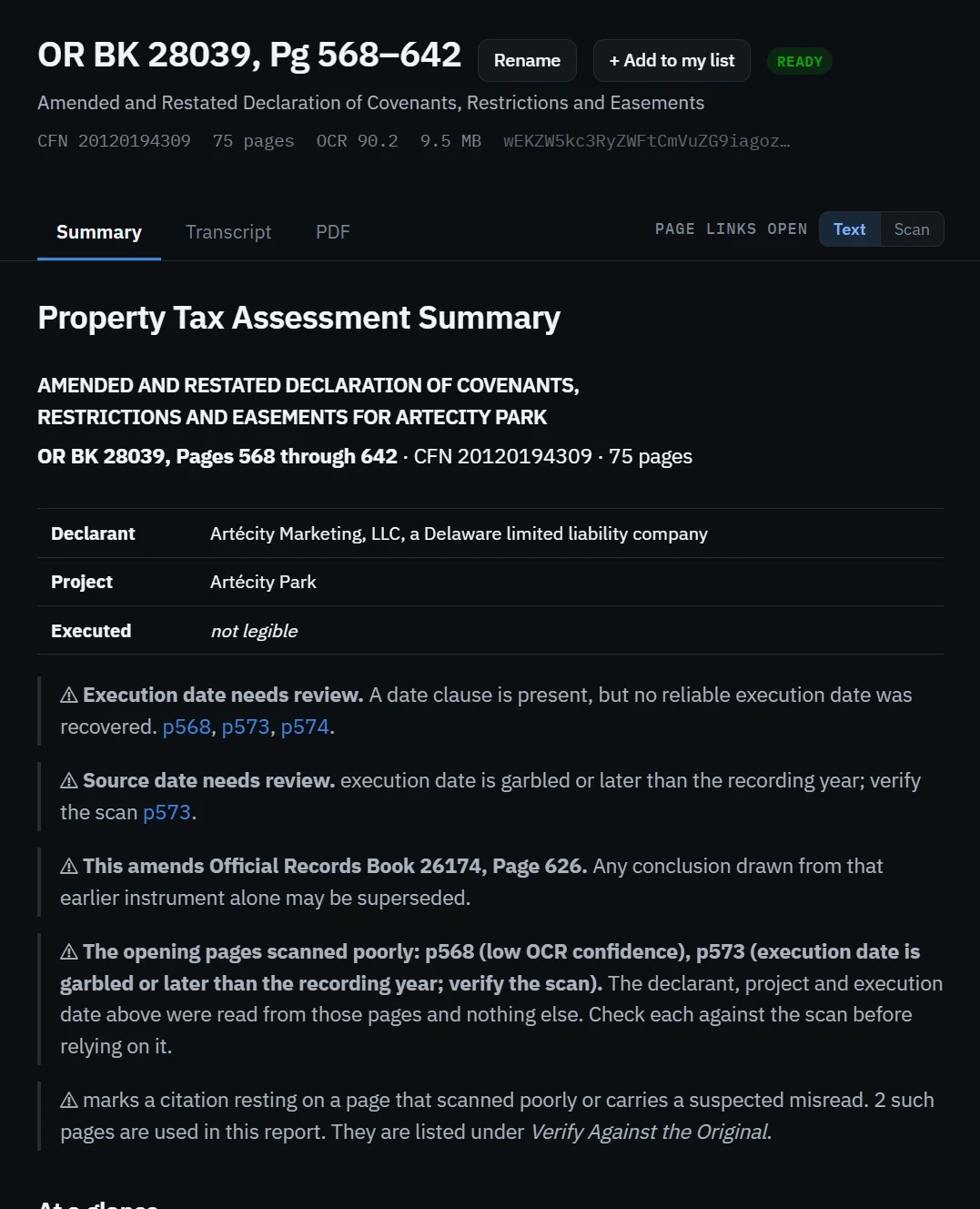
From scan to a checked answer
Three steps, and the original page is never more than a click away.
Upload
Drop in a scanned or recorded PDF. If your office already holds it, you open that copy and nothing is processed twice.
Read
The text comes straight from OCR, so nothing is reworded or filled in. Pages that scanned poorly are marked, not hidden.
Check
Every figure and every answer carries a page number. One click opens that page as text or as the original scan.
Made for checking records, not guessing at them
Each tool keeps you one click from the original page.
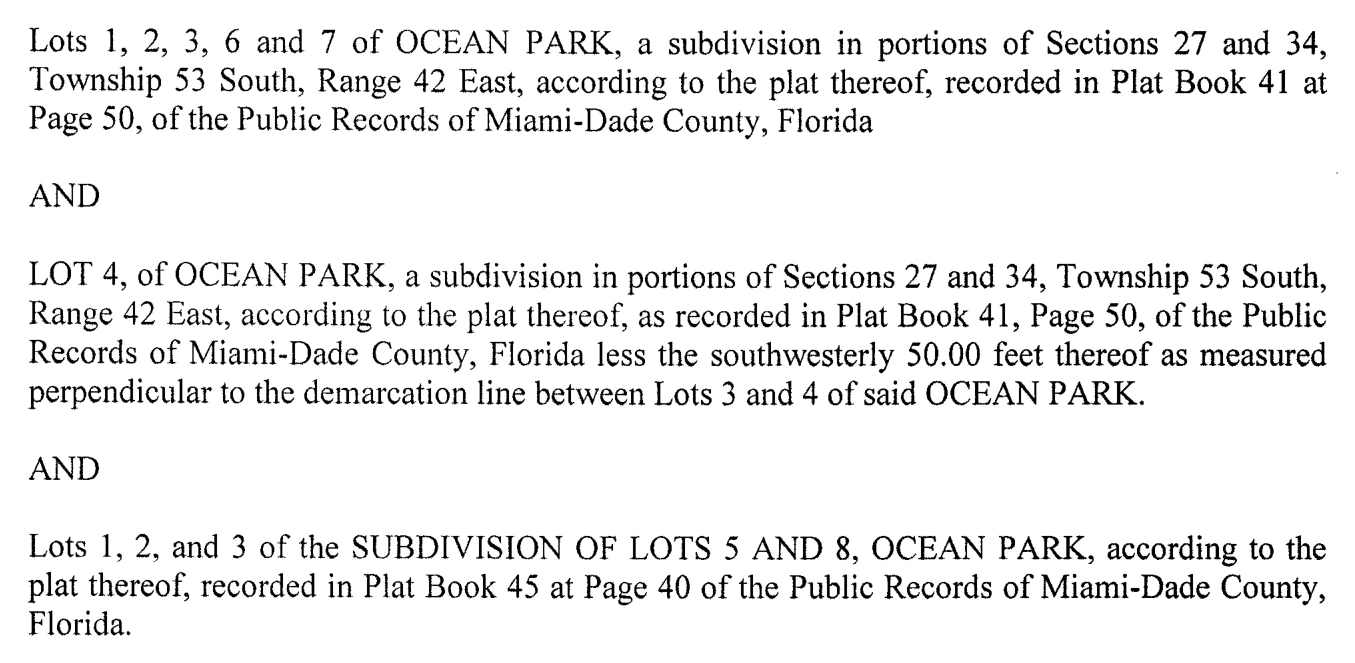
The legal description, as written
Copy the text, or download a cropped image of the description taken straight from the scan.
Key details with page numbers
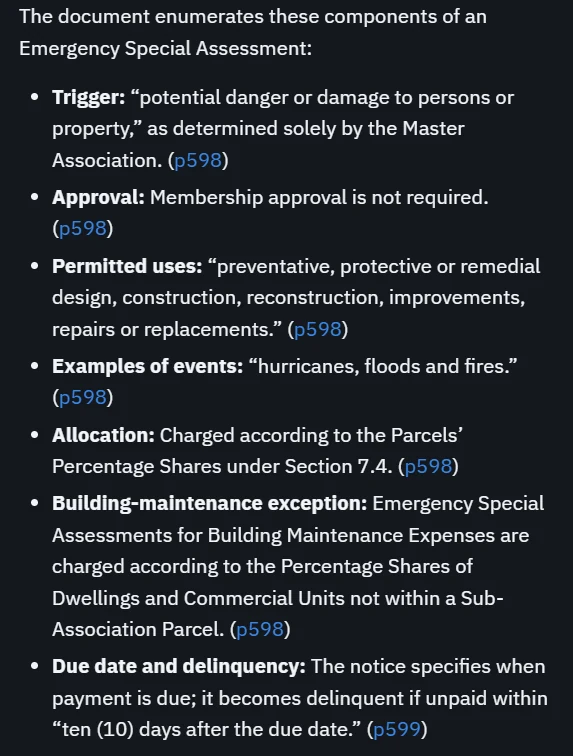
Parcels, ownership shares, shared facilities and more, each with the page it was read from.
Ask the document
Answers come only from the document. Click a page number to see the proof.
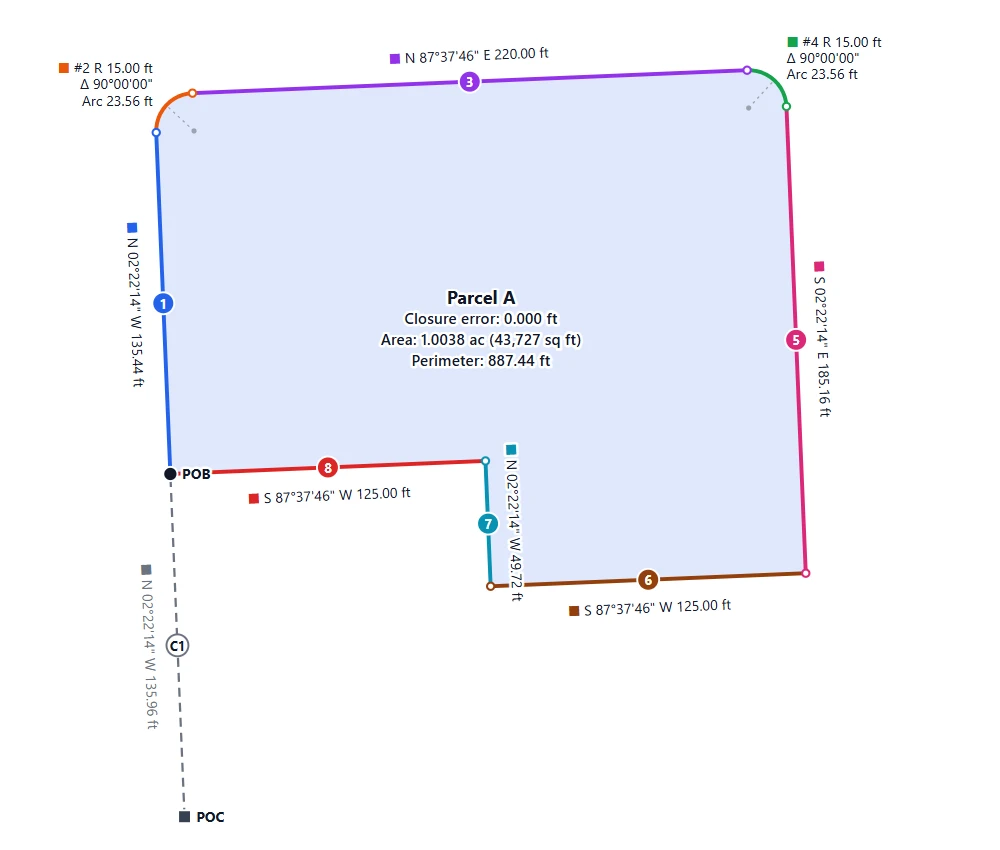
The legal description, drawn
Every bearing, distance and curve is plotted into a labeled drawing, with the closure error, area and perimeter printed inside. Each leg gets its own color and number, and a misread leg is named so you can fix it and watch the drawing update.

Your own list
Everyone in an office can open every document. You keep a clean list of the ones you work on, under names you choose.
Admin and activity
Add people, set roles, and see who opened, downloaded or asked what.
The model never writes the transcript.
The text comes from OCR, so nothing is reworded. The AI only reads that text to find details, and each detail cites its page.
Poor scans are marked
Pages that read badly are flagged next to the answer, so nobody keys in a guess.
Each office is separate
Documents are kept apart by the database itself, not only by the app.
Everything is logged
Sign-ins, downloads and questions are recorded for your administrator.
Bring a document you work with
Tell us what you handle and we will reply by email.